E-Wallet Feature
What is the E-Wallet Feature?
The E-Wallet feature is a digital wallet inside the mobile app. Customers can top up their balance using your existing payment gateways (Stripe, PayPal, WooCommerce Payments, etc.), send money to other customers in your app, see a full transaction history, and use the balance to pay for anything in the app that supports wallet checkout (E-commerce orders, Booking deposits, custom Source Code pages with wallet hooks).
It works like a stored-value account at a coffee shop: customers preload money once, then spend it inside your app without re-entering card details. The mechanism is the same as Starbucks Stars or any branded wallet, you own the balance, you control the policy.
Adding the E-Wallet Feature to Your Mobile App
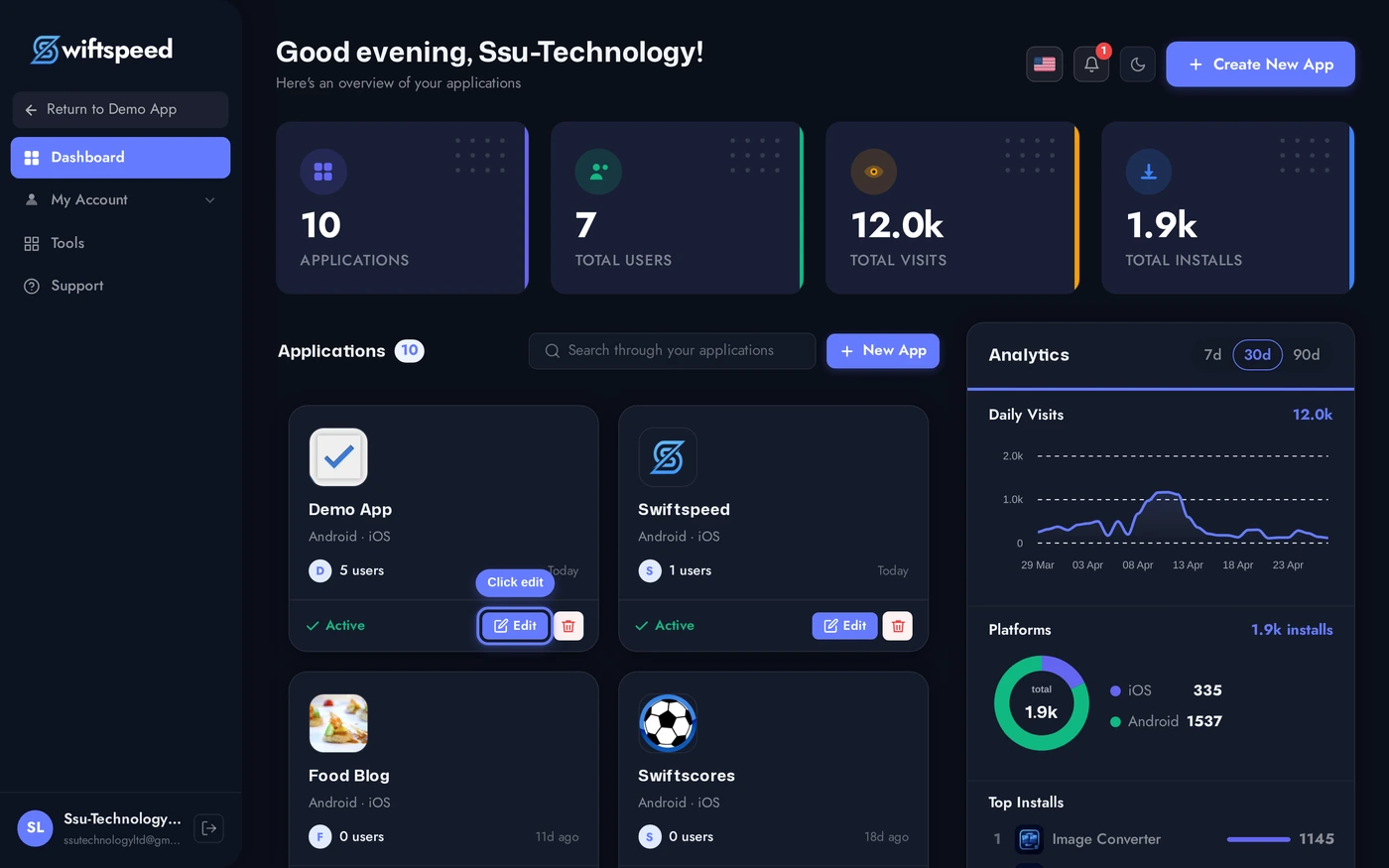
Click the edit pencil on the mobile app you want to add a wallet to.
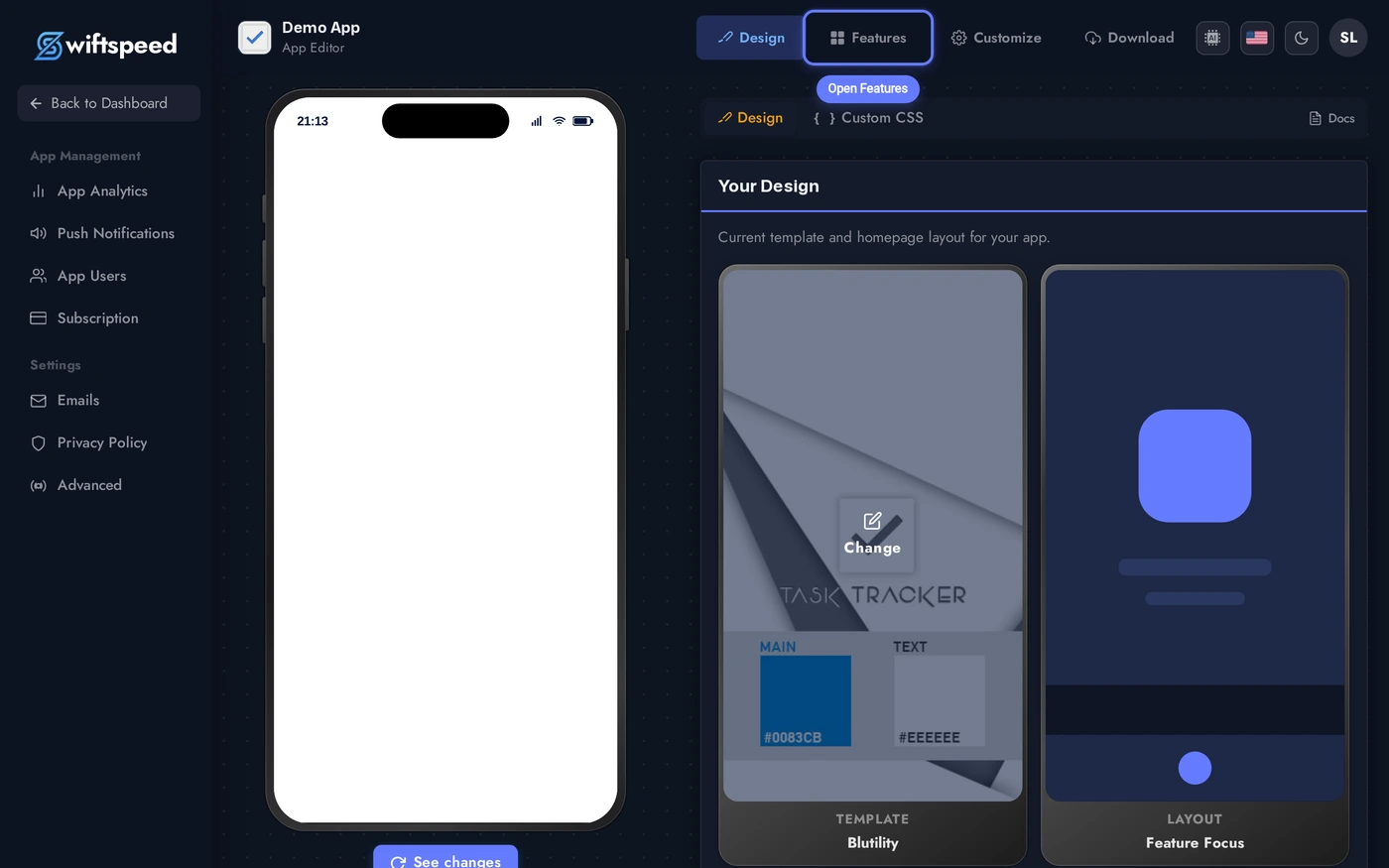
Click Features in the top bar.
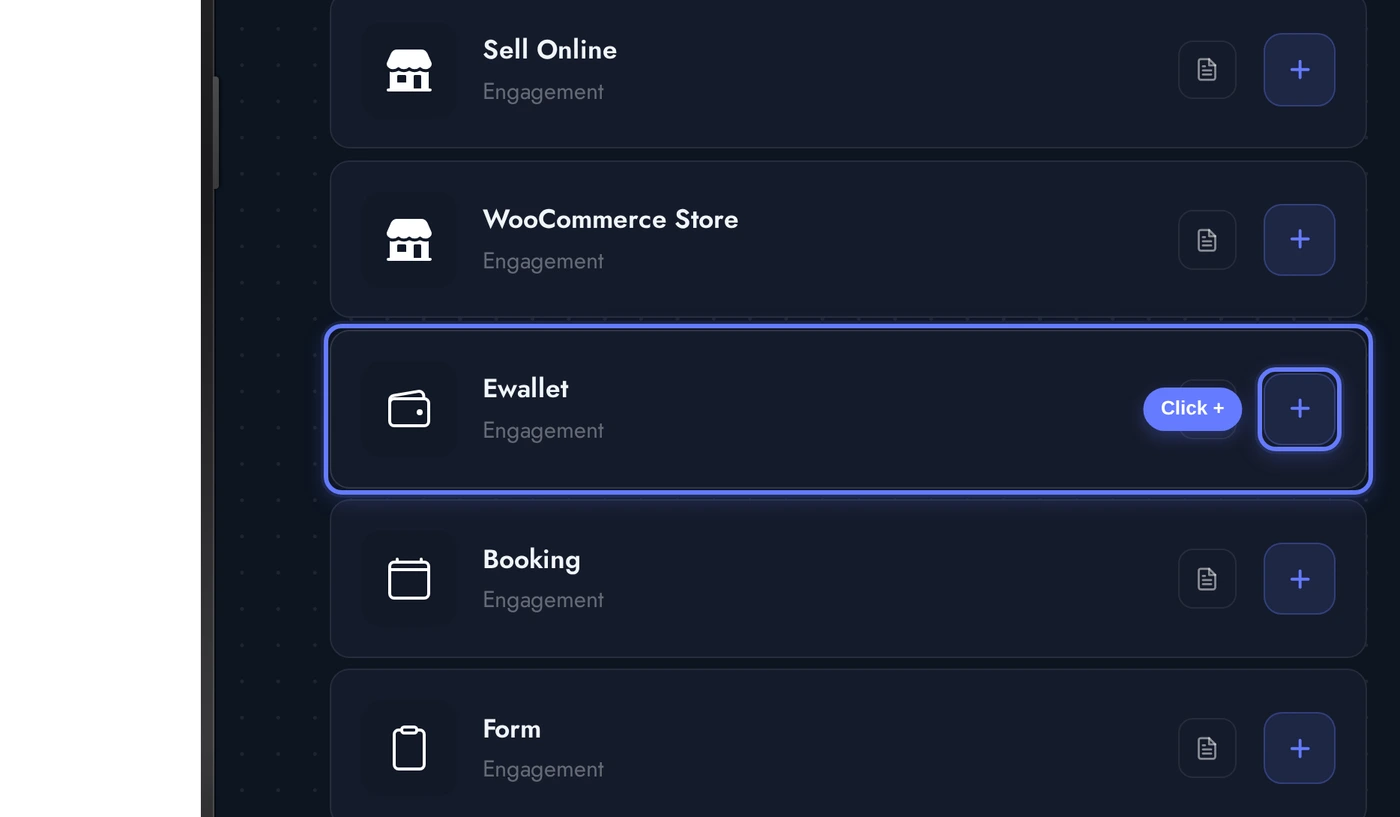
Find the Ewallet card and click the + button. The native wallet is added to the app, and the My Account feature is auto-added if not already present (the wallet requires the user to be logged in).
The Editor: Settings, Gateways, History
The Ewallet editor has cards for currency, payment gateway configuration, theme, custom colors, email notification templates, and an admin view of customer wallets.
Configure currency and gateways before customers start topping up. Once balances exist, changing currency requires a manual migration. Gateways can be enabled or disabled any time without affecting existing balances.
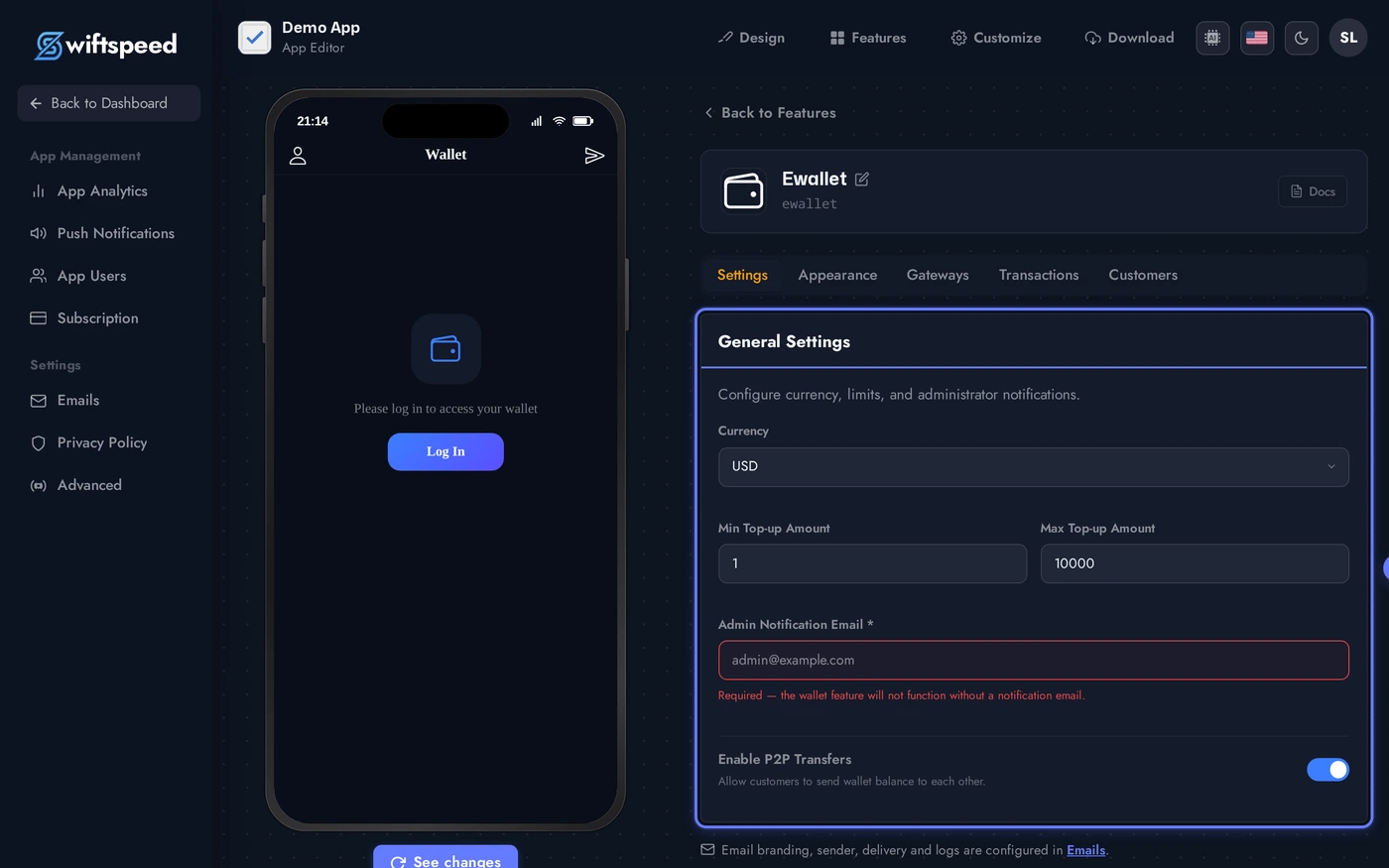
- Currency: pick the currency the wallet is denominated in (USD, EUR, GBP, NGN, etc.). Once a wallet has transactions, the currency is locked.
- Payment Gateways: configure which gateways customers can use to top up. Stripe, PayPal, Paystack, and WooCommerce Payments are supported out of the box.
- Appearance: theme + custom colors that style the wallet UI on the phone.
- Email Templates: editable templates for top-up confirmation, transfer received, and low-balance reminders.
- Customer Wallets: admin-only view of every customer's balance and transaction history. Useful for support and audits.
How Customers Use the Wallet
On the phone, the wallet flow is:
- Top Up: customer taps Add Money, picks an amount, picks a payment method (the gateways you configured), pays via the gateway's native flow. The balance updates immediately on success.
- Send: peer-to-peer transfer to another customer in the same app. Pick a recipient (search by name or email), enter amount, optional note, confirm. The recipient gets a push notification + the transfer reflects in both wallet histories.
- Pay: in apps where wallet checkout is wired into other features (E-commerce, Booking deposits), the customer can pay using wallet balance instead of re-entering card details. Usually the fastest checkout path.
- History: scrollable list of every transaction with type (Top Up, Sent, Received, Spent, Refund), amount, counter-party, date, and status.
Live Preview of the Wallet
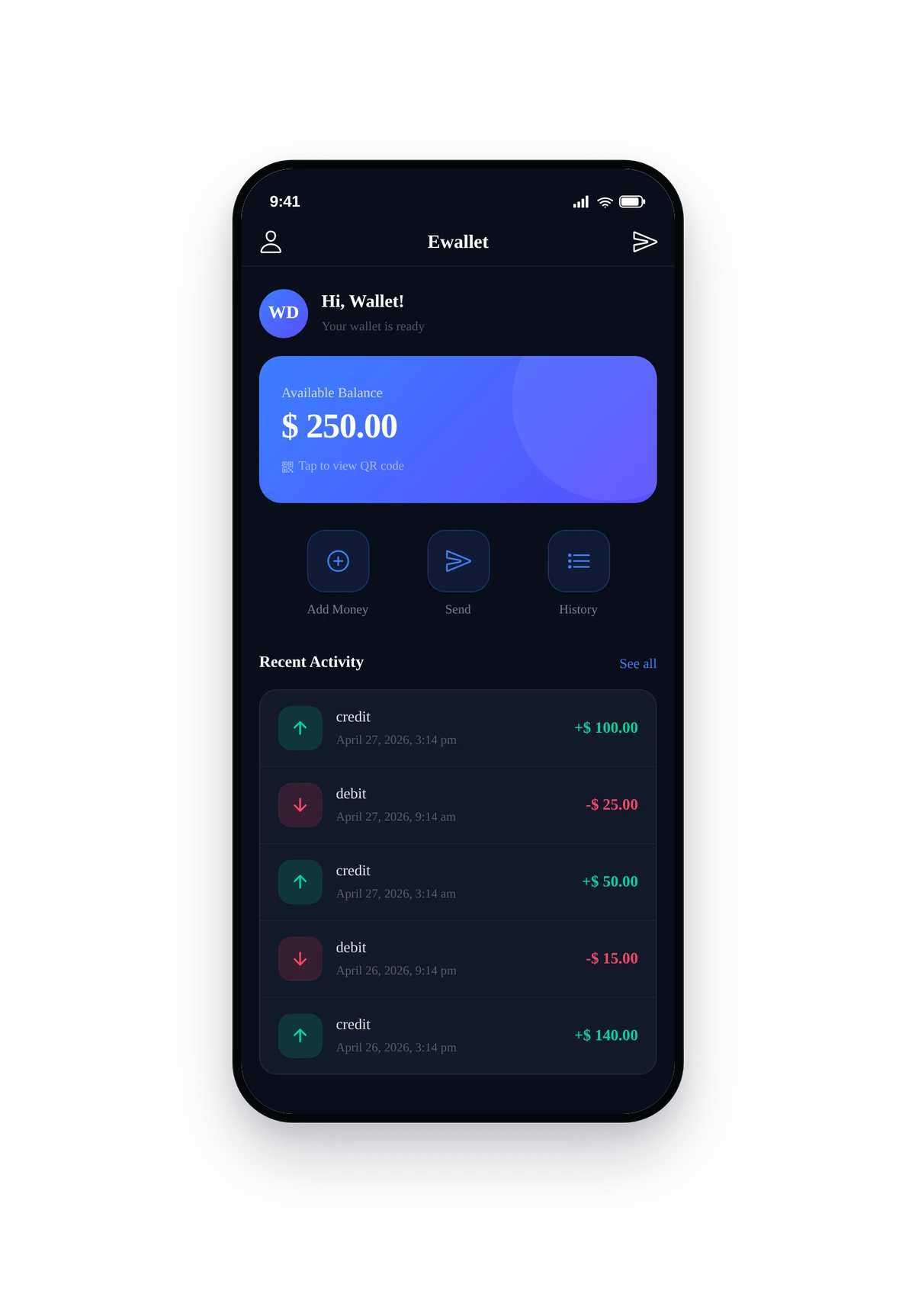
Here is how the wallet looks for a customer with a fake $250 balance and 5 sample transactions (the screenshot uses temporary demo data, cleaned up immediately after):
This is the actual native UI. The big balance card sits at the top, action buttons (Add Money, Send) below, then the transaction history. Each row shows the transaction type icon, counter-party, amount (green for credit, red for debit), and date.
Tips and Best Practices
- Lock the currency before any wallet has a balance. Switching currency post-balance requires a custom migration job to convert balances at a chosen rate. Decide once, early.
- Set a maximum balance cap. Some jurisdictions treat unconverted stored value as a financial product. A cap (e.g. $500 per customer) keeps you out of regulated territory in most markets. Check your local financial regulator.
- Stripe is the simplest gateway to wire up. PayPal works too, slightly more setup. Paystack is the right pick for African markets.
- Peer-to-peer transfers need a clear policy. Decide whether transfers are reversible (and within what window), and surface that policy in the email confirmation. Money that moves silently is money that ends up in support tickets.
- Low-balance reminders raise top-up rates. A push notification at $10 remaining converts to a top-up about 30% of the time. Edit the template to match brand voice.
- Refund policy = wallet credit, not card refund. Refund a customer to their wallet rather than back to their card if you can. Keeps money in your ecosystem and saves gateway fees.
- Audit the Customer Wallets admin view weekly. Sudden balance jumps usually mean a bug in your other features' wallet hooks. The admin view is your monitoring tool.